
Last week my husband and I went to dinner with some friends (who also happen to be marketers) where we inevitably started geeking out about how we’re using AI. In sharing our experiences, I realized that the company I work for, dbt Labs made a number of critical investments that accelerated our AI adoption and drove AI usage:
Tools and Governance
The Hive Mind
Hacking and Experimentation-focused rollout
For context, I run a full-funnel marketing team of 6 responsible for pipeline and revenue outcomes. All of them are non-technical marketers and do not know what a bash command is! I wanted my team to take advantage of the power of AI and not be left behind as teams shift to AI-driven workflows.
I’ll be candid: I stress about this a little too much. I feel like I’m trying to prepare my albatross for their long flight! These investments dbt Labs made helped my non-technical team — and countless others — evolve the way they work with AI. In this post, I’ll talk about three things that drove my team’s AI usage and show some examples of tools we’ve built.

Identity and governance: Get your MCPs to connect safely
All new process rollouts are more successful with a paved road, reducing the adoption friction. We rolled out an MCP catalog, which streamlined the adoption of AI tools for my team at dbt Labs.
MCP, the Model Context Protocol, is a framework for connecting LLMs to other systems – like connecting your LLM to Figma so you can translate text or code into designs. Most business systems you use today likely have an MCP you can hook into. Setting up your MCP often involves connecting your API key to an AI Harness, like Claude, but creates what is called “Shadow AI.” Just like “Shadow IT” before it, this refers to the sprawl of unmanaged MCPs in an organization, which could lead to vulnerability exposures and data leaks that become challenging to trace and remediate.
At dbt Labs, our security team rolled out the Runlayer catalog, which I like to think of as Okta access management for your MCP servers. With this in place everyone internally can access blessed with secure MCPs from the catalog so we can easily connect to them.
This was a huge unlock for my team. They were able to quickly connect to internal systems, like Notion, and see the opportunities from connecting Claude, their AI Harness, to these tools. Instead of creating content or doing research with AI, they were able to build apps, workflows and reusable tools (some examples later).
Runlayer also hosts our organization-wide repository of skills so we don’t have to send around Markdown files to adopt those modules. Instead we have a managed library of those official skills that we can discover and easily port into our AI harnesses.
How it works in practice
To set up the Omni MCP, which is an approved connector, I requested access in Runlayer and then ran a command in Claude Code to complete the set up. That’s it. I didn’t need to deploy the MCP to a machine or a cloud instance. Overall, I think this is a must have for any organization who wants to accelerate AI adoption.
The Hive Mind
A repository of structured data and existing workflows can be a critical context for your internal AI adoption. Everyone at dbt Labs is a Notion super-user, and we quickly convert new teammates who are Google Docs stans into Notion fantatics. I like to think of Notion as an internal knowledge system powered by structured context that is easily integrated into other tools. This can integrate beautifully into LLMs as a corpus of organized context, structured data and existing automations.
How it works in practice
Pre-AI adoption, my team has documented nearly every process in Notion. They also have a number of workflows orchestrated through Notion databases. One of these workflows, our Global Marketing Calendar, (GMC) is the central repository of all our marketing activities, and powers workflows in Salesforce and Asana. This context has helped us build more advanced orchestration using AI. Some examples
ToFu Pacing Dashboard: I built an artifact that tracks our current pipeline pacing, budget and projected end of quarter outcomes using data from our GMC, Google Slides, and Omni. This is a great example of a proof of concept that I built that I will ask our data team to build into a dashboard. You can see an anonymized example in the image below.
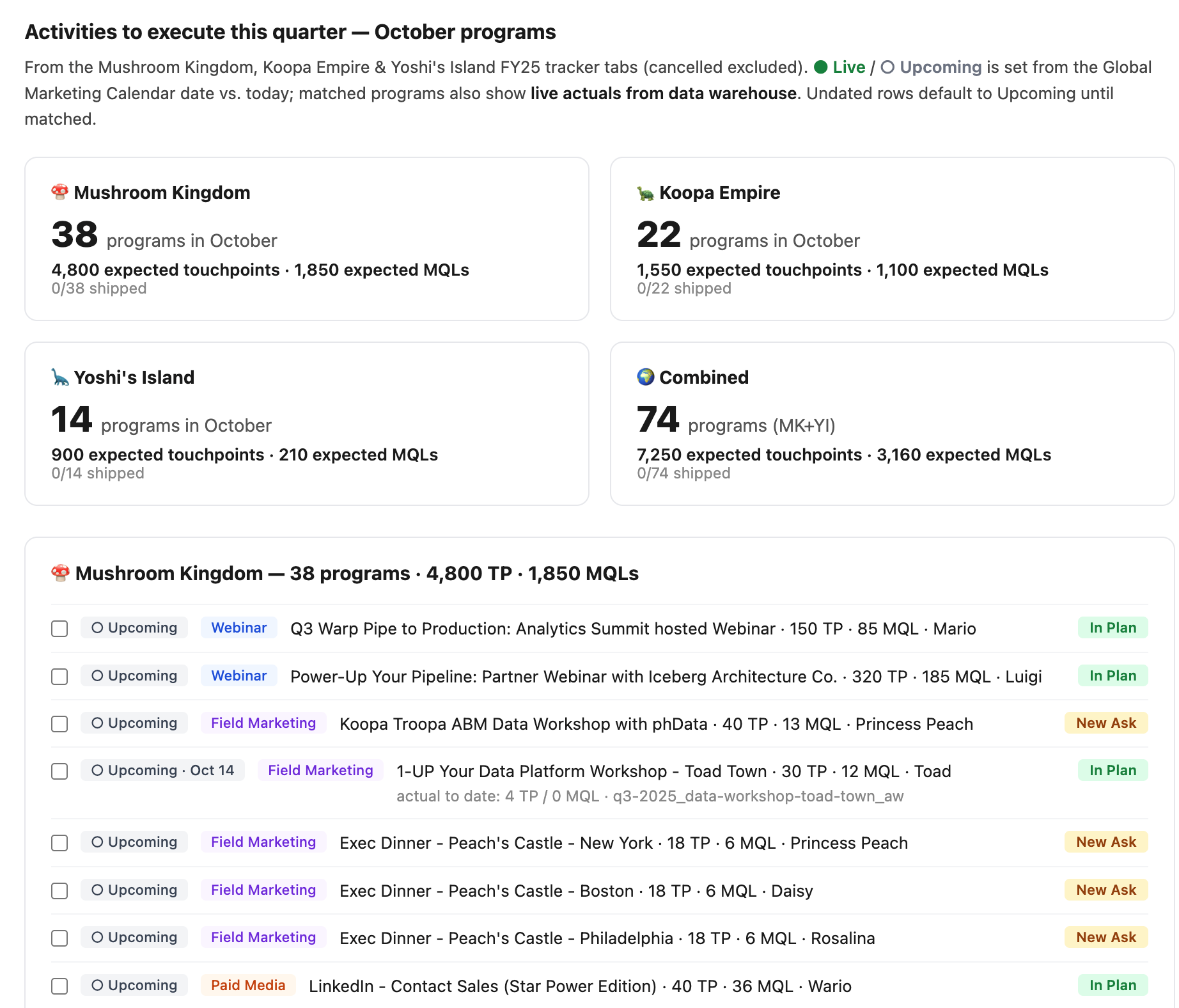
Campaign Tracker: We pull in campaign member data from Omni to understand whether we’re effectively targeting our ICP. The Notion page updates every Monday and sends a Slack message to my team’s Slack channel.
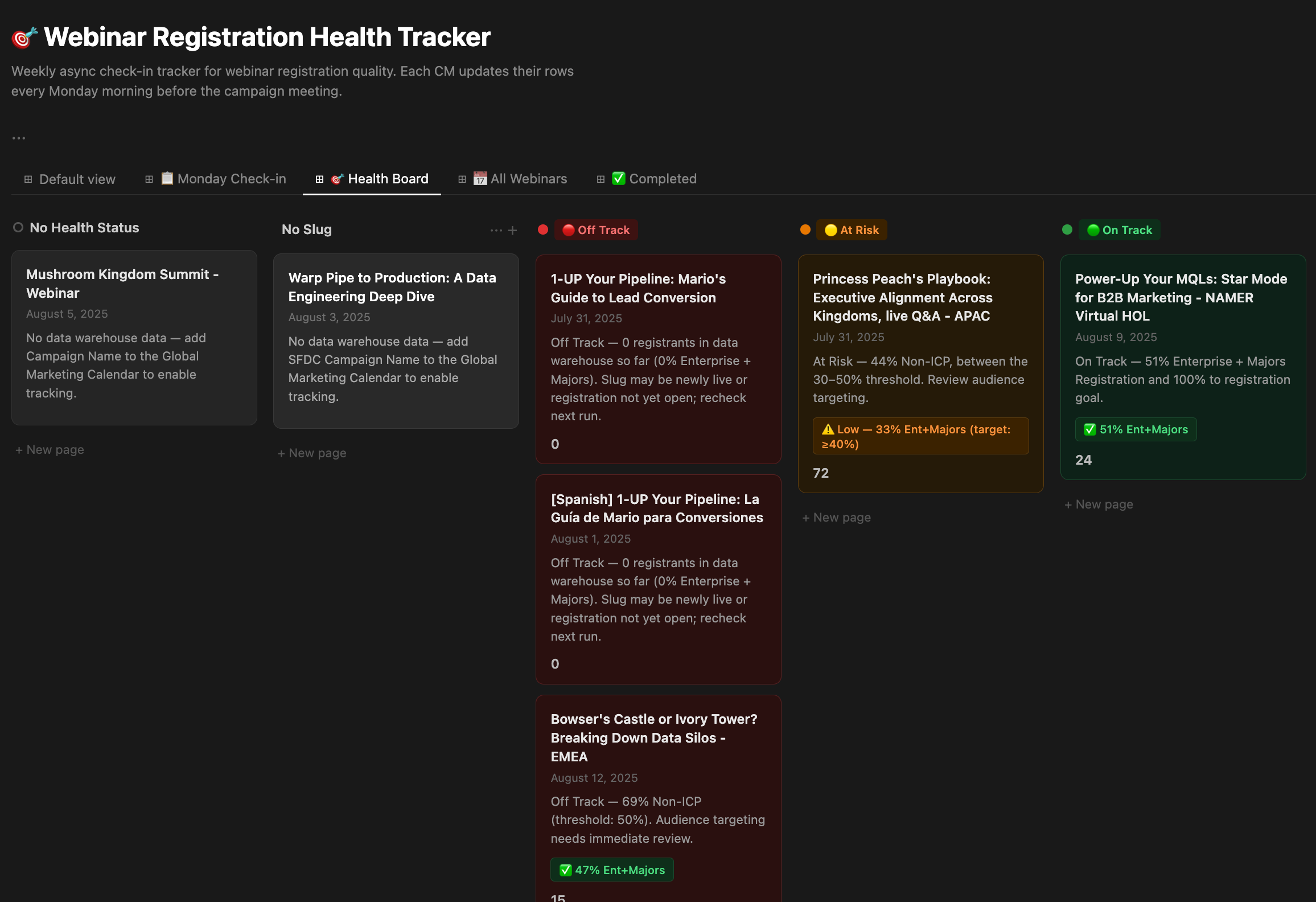
Capturing this data on a regular basis for reporting would be very time-consuming. But I can’t imagine how challenging this would have been without all of our structured context from Notion. We are now reaping the investments we’ve made over the years to relentlessly document and automate everything, and that encourages us to keep up the good habits.
Hacking and Experimentation-focused rollout
Hackathons are common amongst development teams to encourage innovation and experimentation, but it’s rare for a marketing team to host a Hackathon. Our marketing team ran a series of smaller Hackathons to encourage dedicated hands-on-keyboard time for building. Open experimentation time are especially valuable when you establish constraints for your team. Research from Patricia Stokes, a psychology professor at Barnard who studied how artists create new ideas, shows that innovation occurs when artists keep certain variables fixed but alter the others. This theory, called “solution by substitution,” helps artists find new ways to represent their visions.
The same is true for experimentation with AI. You can’t start with “build anything with AI.” Help them establish those constraints and have AI tools be the workflow innovation.
How it works in practice
Take AI completely out of the equation. Help your team identify small tasks that they can automate. My team used an Eisenhower matrix, a task management tool, to list out our work for the week. We filled this out asynchronously and then met as a group to review the submissions and vote on the top two projects to build. Some of our current automated workflows, like the Campaign Tracker, were inspired by this exercise.
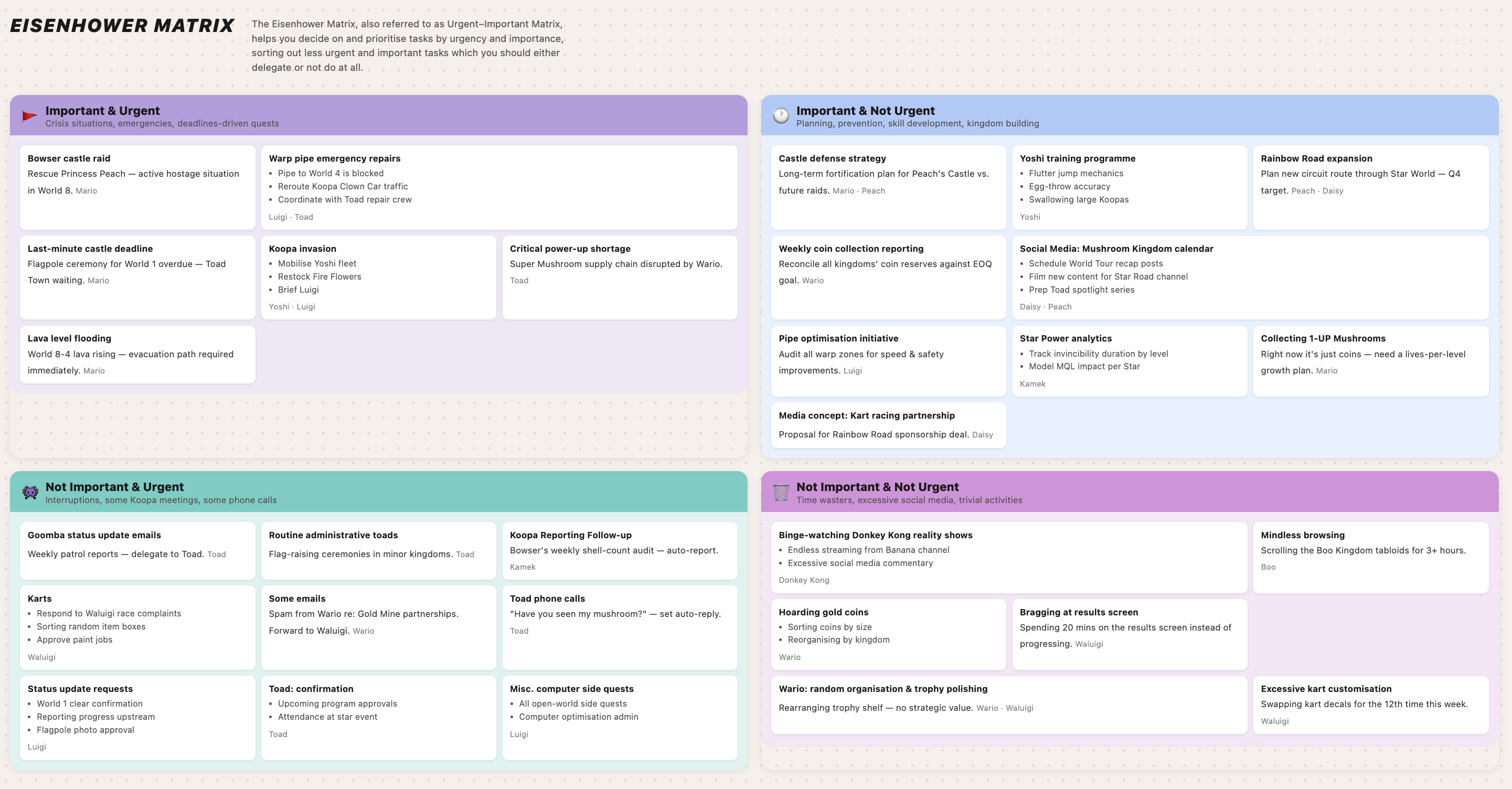
The Eisenhower matrix worked because it helped us surface repetitive tasks that AI could automate or accelerate. It also helped us distinguish between tasks to automate and tasks that require human judgement.
With any AI adoption rollout, I wouldn’t say there is a perfect formula. Every organization is unique and only you can understand the right process and technology to match your people and culture. Most teams are still figuring this stuff out (we are too!) and I am so curious to understand what you’re doing to drive AI usage internally. Share what you’re doing in the comments.
This hits so close to home. As a software engineer, trying to explain technical constraints to marketing—or worse, trying to translate marketing strategies into my own dev workflow—is always a challenge. We speak completely different languages.
Balancing development, operations, and suddenly having to act as my own marketer is actually what pushed me to build Quadrant AI (https://quadrant-ai.app/). I was constantly drowning in reactive tasks and losing my deep focus blocks, so I built this to automate Time Blocking directly through the Eisenhower Matrix right from my phone (along with a habit tracker to keep me sane).
It’s a tool built by a dev, for devs (and anyone else) who need to protect their focus from the daily noise. Thanks for the laugh and the great insights!